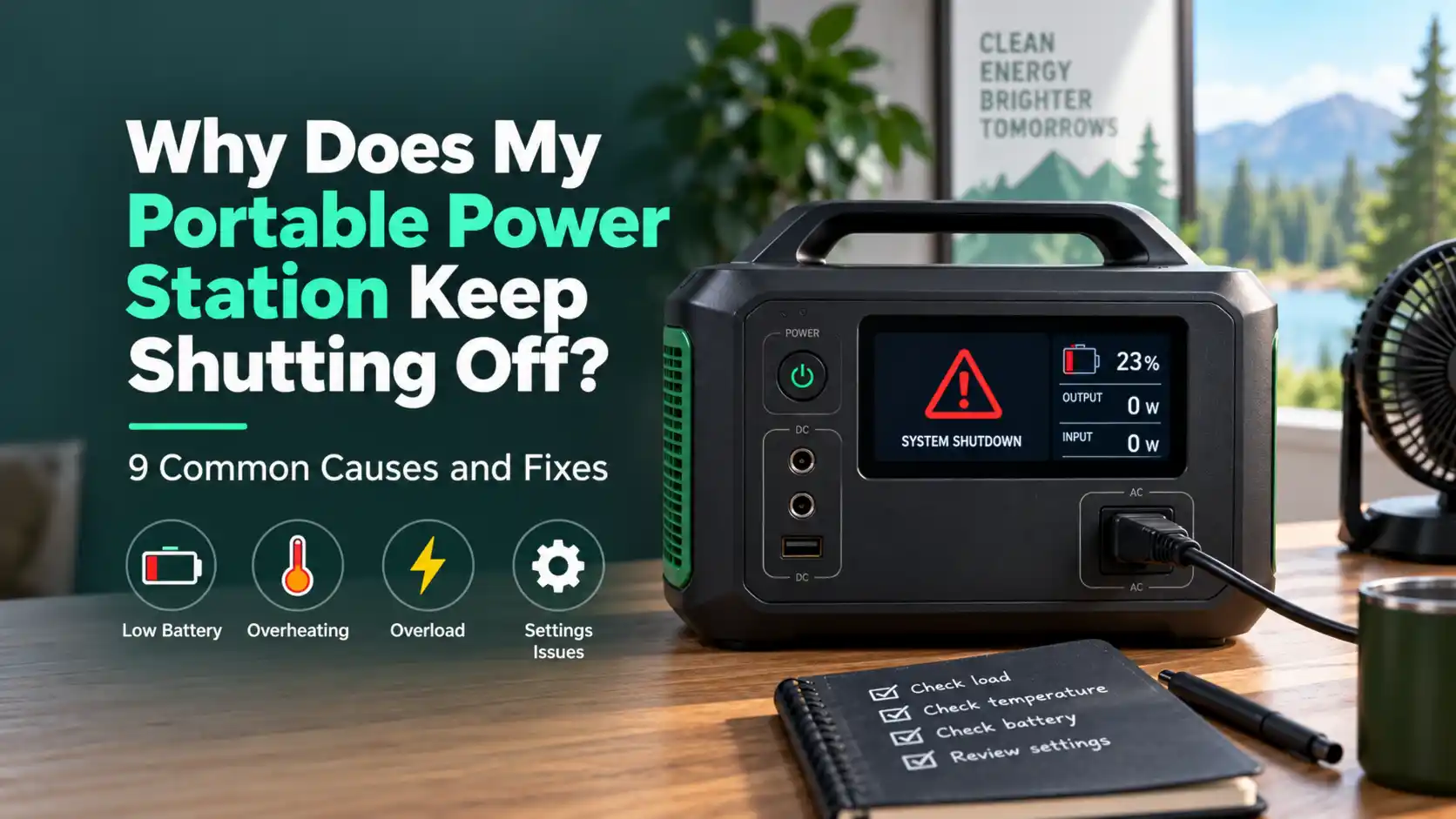
Why Does My Portable Power Station Keep Shutting Off? 9 Common Causes and Fixes
Quick answer: If your portable power station keeps shutting off, the first things to check are an overloaded inverter, appliance startup surge, low battery, temperature protection, automatic low-load shutdown, and model-specific error warnings.
Start by disconnecting everything and photographing any warning symbol or error code on the display before you reset the unit. Then check the battery level, temperature, appliance wattage, and power-saving settings.
If the station repeatedly reports a battery, short-circuit, temperature, or internal-system fault, stop repeatedly resetting it and follow the manufacturer’s troubleshooting instructions.
If you are unsure whether the connected appliance is too demanding, our guide to what a portable power station can run explains continuous watts, surge watts, and appliance compatibility.
Diagnose the Shutdown in 60 Seconds
| What Happens | Check First |
|---|---|
| It shuts off the instant an appliance starts | Startup surge or inverter overload |
| It shuts off after several minutes under a heavy load | Heat or sustained overload |
| It shuts off with only a phone or other tiny load connected | Eco mode or low-load auto-shutdown |
| It stops at roughly the same battery percentage every time | Discharge-limit setting, reserve setting, or battery issue |
| It shuts off only while charging and powering devices | Pass-through or UPS/EPS output limits |
| It shuts off in a hot car, direct sun, garage, or freezing weather | Temperature protection |
| The power station stays on but AC outlets turn off | AC inverter or port-specific protection |
| It shuts down with nothing connected | Settings, firmware, battery/BMS, or hardware fault |
First, Determine What Is Actually Turning Off
When someone says their portable power station “shut off,” that can describe several different things. The entire power station may power down, or only one output section may turn off while the screen and battery remain active.
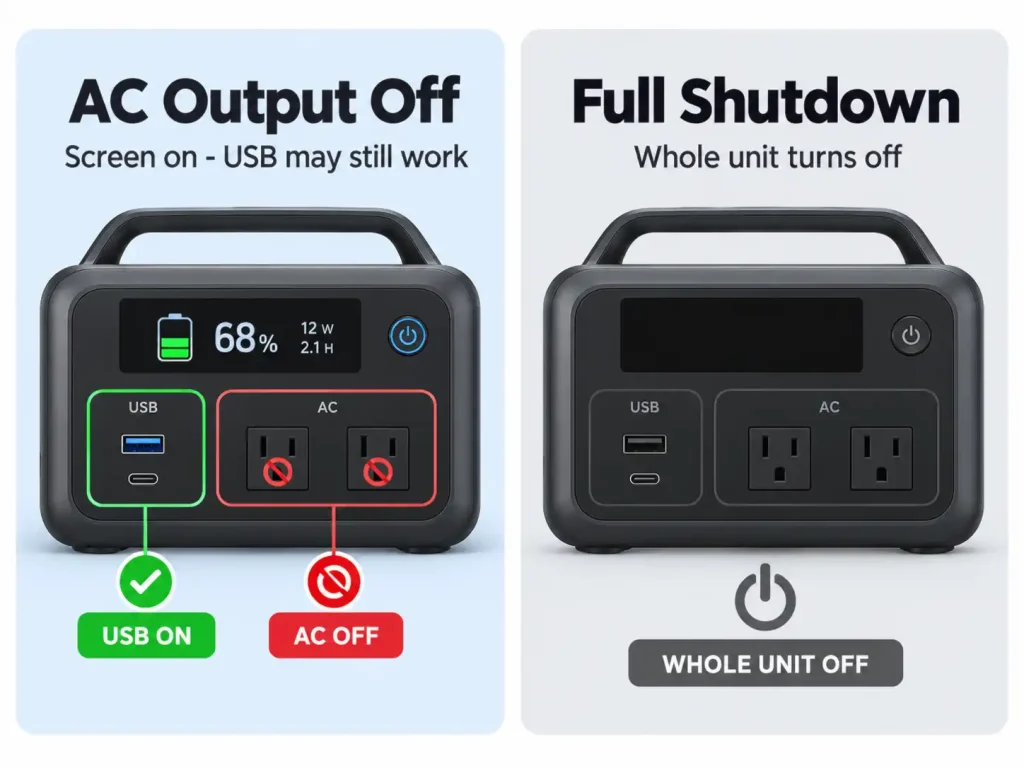
- The AC inverter may switch off while USB ports continue working.
- The 12V DC output may shut down independently.
- A USB-C port may stop supplying power while the station itself remains on.
- The entire power station may shut down because of battery, temperature, or system protection.
This distinction matters because an AC-output shutdown points you toward a different set of causes than a complete system shutdown.
What the Display Is Telling You
Portable power stations use different icons and codes, but common warning categories include overload, high temperature, low temperature, low battery, short circuit, battery fault, and system or internal fault.
Photograph the warning before resetting the unit. Once the screen clears, you may lose the most useful clue.
Why Your Portable Power Station Keeps Shutting Off
1. The Appliance Is Overloading the Power Station
Every portable power station has a maximum continuous AC output. If connected appliances demand more than the inverter can safely provide, the protection system can disable the AC output.
For example, a station rated for 1,000 watts should not be expected to continuously power loads totaling 1,300 watts. Multiple appliances can also create an overload even when each device is modest on its own.
2. The Appliance Has a High Startup Surge
An appliance can trip protection even when its normal running wattage looks safely below the power station’s rating. Motors and compressors can demand a brief burst of power when they start. Refrigerators, freezers, pumps, air conditioners, and some power tools are common examples.
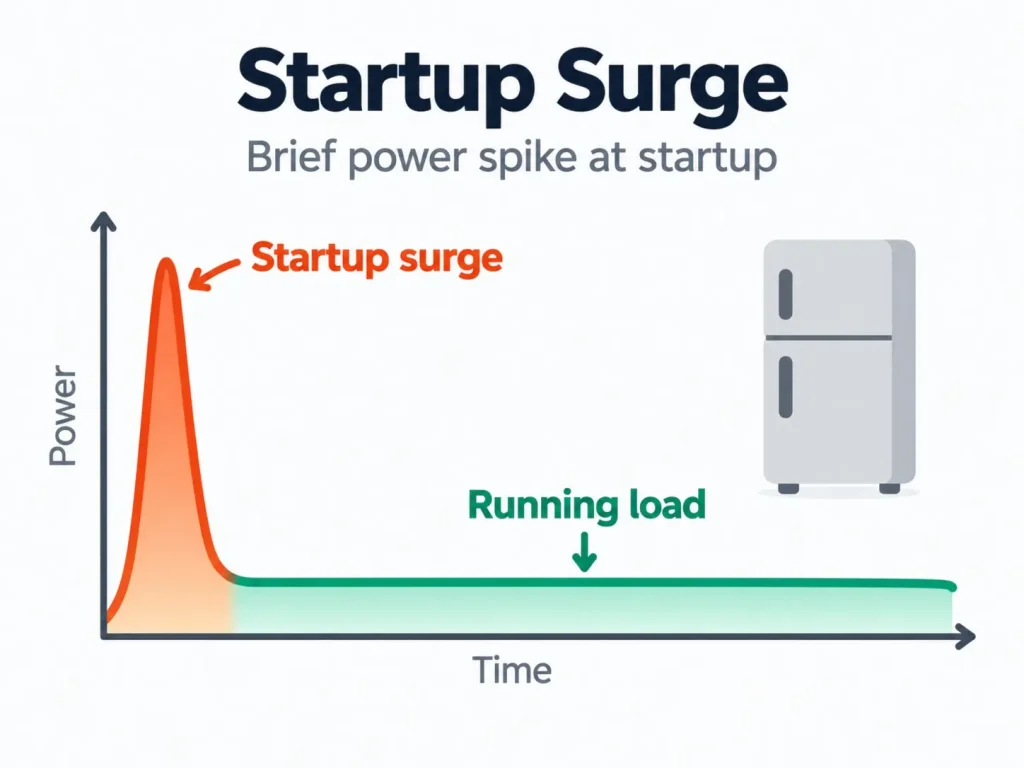
A refrigerator may run normally for several minutes and then appear to shut the power station down when the compressor cycles on again. That is why both running watts and startup watts matter.
For refrigerator backup, see our portable power station sizing guide for refrigerators.
3. The Battery Is Empty or Has Reached a Discharge Limit
Check the battery percentage, but do not assume output must continue all the way to a displayed 0%. Some power stations allow reserve levels, discharge limits, or battery-saving ranges to be configured through an app.
If the real problem is shorter-than-expected runtime rather than a sudden fault, see our portable power station runtime guide.
4. The Power Station Is Too Hot
Heavy loads, high ambient temperature, fast charging, poor airflow, and blocked vents can increase internal temperature. Portable power stations may reduce or stop output when internal temperature moves outside their permitted operating range.
- Disconnect the load.
- Stop charging if the manual instructs you to do so.
- Move the station out of direct sunlight.
- Make sure ventilation openings are unobstructed.
- Allow the unit to cool naturally.
- Restart it only according to the manufacturer’s instructions.
5. The Battery Is Too Cold
Cold temperatures can also trigger protection. Charging and discharging temperature limits vary by brand and model. If the station shows a low-temperature warning, move it to an environment within the manufacturer’s specified range and let it warm naturally.
Do not use an open flame, heat gun, space heater, or other improvised high-temperature heat source to warm a battery.
6. Eco Mode Thinks Nothing Is Connected
If your power station shuts down while powering a very small device, the behavior may be intentional. Some stations include energy-saving or automatic shutdown settings that turn off an output when power consumption remains below a threshold for a certain period.
Look in the manual or app for terms such as Energy Saving Mode, Eco Mode, Auto Power-Off, AC Timeout, or similar wording.
7. One Output Port Is Being Overloaded
If the screen remains on but one group of outputs stops working, you may be dealing with port-specific protection rather than a full power-station shutdown. Disconnect the affected device, check the display, and verify that the device’s voltage, current, and wattage requirements fit the output specifications.
8. Pass-Through Charging Is Exceeding a Limit
If shutdowns occur only while the power station is simultaneously charging and powering appliances, check the model’s pass-through charging limitations. Pass-through operation does not necessarily provide the same usable output limit under every operating condition.
Jackery currently documents model-dependent pass-through limits and warns that startup power must remain within the applicable limit. Treat those limits as manufacturer- and model-specific rather than applying them to every brand.
9. There Could Be a Battery, BMS, Firmware, or Hardware Fault
If the station repeatedly shuts down with a normal load, sufficient battery charge, normal temperature, and no obvious overload, the problem may require manufacturer troubleshooting. A persistent system or battery warning should not be treated as a routine overload.
Shutdown Timing Can Help Identify the Cause
| Shutdown Timing | What It May Suggest |
|---|---|
| Immediately when a device is switched on | Startup surge, overload, short circuit, or incompatible load |
| After a few minutes | Heating, sustained overload, or appliance cycling |
| At nearly the same battery percentage | Reserve/discharge setting or battery-related issue |
| Only after the connected device becomes idle | Low-load auto-shutdown |
| Only while wall charging | Pass-through or EPS/UPS operating limits |
| Randomly with no load | Settings, firmware, battery/BMS, or internal fault |
Common Portable Power Station Error Codes
Error codes are model-specific. Never assume that the same-looking code has the same meaning on another model or another brand. Search using the exact brand, model number, and code, or consult the manufacturer’s manual or app.
Verified BLUETTI Apex 300 Error Codes
| Code | Meaning on BLUETTI Apex 300 | What to Check |
|---|---|---|
| E001 | Inverter overload | Check device power use and reduce the connected load. |
| E002 | Inverter overtemperature protection | Let the unit cool and restart AC output according to the manual. |
| E003 | Inverter short circuit | Disconnect connected devices and check for a short circuit. |
| E033 | PV overvoltage | Check solar-array voltage against the Apex 300 input limit. |
| E039 | PV overtemperature | Allow the unit to cool before restarting PV input. |
| E085 | Charging temperature too high | Allow the station to cool before charging. |
| E086 | Charging temperature too low | Move the station into the manual’s permitted charging-temperature range. |
| E087 | Discharging temperature too high | Stop the load and allow the station to cool. |
| E088 | Discharging temperature too low | Move the station into the permitted discharge-temperature range. |
See the BLUETTI Apex 300 user manual for the complete troubleshooting table.
EcoFlow Warnings and System Error Codes
EcoFlow models can display warning icons and system error codes. Current EcoFlow manuals identify warning categories such as high temperature, low temperature, overload, battery error, and system error. For system and battery errors, EcoFlow may direct users to the app for model-specific troubleshooting.
Jackery Error Codes
Jackery also uses model-specific error displays. Rather than assigning a generic meaning to a Jackery F-code, check the manual for your exact Explorer model.
See the Jackery user-manual library and select your exact model.
Before You Reset the Power Station
- Photograph the display. Capture the warning icon or error code.
- Write down the battery percentage.
- Note the output watts. If visible, record what the station was supplying just before shutdown.
- Note what was connected. Include appliances and charging sources.
A Simple Load Test
Suppose a 1,000-watt power station repeatedly shuts down when an 800-watt appliance starts but runs a 60-watt lamp normally. That does not prove the inverter is defective. It suggests the higher-power appliance, its startup surge, or sustained load deserves closer attention.
This is a troubleshooting example, not a diagnostic test for an internal battery or inverter fault.
Watch for Appliances That Cycle On and Off
Some shutdowns appear random because the connected appliance does not draw the same amount of power continuously. Refrigerators, freezers, air conditioners, pumps, air compressors, and thermostat-controlled heating loads may cycle on and off.
Did the Station Shut Off, or Did the Battery Just Drain?
Keeping the AC inverter active consumes some battery energy even when the connected appliance uses very little power. Wi-Fi, displays, internal electronics, and other features may also contribute to standby consumption.
If the battery gradually reaches empty overnight, that is different from the station suddenly tripping with an overload or system warning.
Portable Power Station Shutdown Checklist
Use this checklist to narrow down why your portable power station keeps shutting off.
Power station model: ______________________________
Date: ____________________
- ☐ Photograph the error code or warning icon before resetting.
- ☐ Record the battery percentage.
- ☐ Record the output watts shown on the display.
- ☐ Disconnect all appliances and charging inputs.
- ☐ Check whether the whole station shut down or only the AC, DC, or USB output.
- ☐ Check for blocked vents, direct sunlight, excessive heat, or cold.
- ☐ Compare appliance running watts with the station’s continuous output rating.
- ☐ Check startup or surge watts for refrigerators, pumps, compressors, and power tools.
- ☐ Test the station with one small, known-compatible load.
- ☐ Add connected devices back one at a time.
- ☐ Check Eco mode, energy-saving mode, and automatic shutdown settings.
- ☐ Check pass-through or UPS/EPS limits if charging and powering devices at the same time.
- ☐ Look up the exact error code in the manual or manufacturer app for your model.
- ☐ Stop using the unit if you notice swelling, smoke, leakage, melted ports, severe overheating, or repeated internal faults.
- ☐ Contact the manufacturer if the fault returns with a normal compatible load.
Safety: Do not open the battery pack, bypass protection systems, or continue using a damaged or severely overheating power station.
Eco Grid Explorer – ecogridexplorer.com
🎬 Watch: Portable Power Station Overload Troubleshooting
This short video shows a real example of diagnosing an overload shutdown on an EcoFlow DELTA 2. The exact steps and error messages can vary by brand and model, so always check your own power station’s manual as well.
What Not to Do
Portable power stations contain high-energy batteries and power electronics. Troubleshooting should remain within manufacturer-approved user procedures.
- Do not open or disassemble the battery pack.
- Do not bypass the battery management system.
- Do not defeat overload or thermal protection.
- Do not modify the inverter or internal wiring.
- Do not change grounding arrangements contrary to the manual.
- Do not use a damaged or melted connector.
- Do not continue operating a swollen, leaking, burned, or severely overheated battery product.
- Do not repeatedly reset a persistent battery or internal-system fault.
Opening the enclosure or performing unauthorized internal repairs may also affect warranty coverage, depending on the manufacturer and circumstances.
When to Stop Using the Power Station
Stop using the unit and follow the manufacturer’s safety instructions if you notice battery swelling, smoke, a burning or unusual chemical smell, liquid leakage, melted ports, severe overheating, major physical damage, repeated short-circuit warnings, or recurring battery/internal-system faults.
Using a Faulting Power Station for Critical Loads
Do not depend on a portable power station that repeatedly shuts down for a load where unexpected power loss could create a serious problem, including sump-pump backup, essential communications equipment, temperature-sensitive supplies, or other critical outage loads.
For medical equipment, verify the device’s actual electrical requirements and compatibility with the device manufacturer, and maintain an emergency plan beyond a single portable power station. Eco Grid Explorer does not provide medical advice, and a runtime calculation should never be treated as a guarantee.
Before You Contact Customer Support
- Exact brand and model
- Serial number
- Firmware version, if applicable
- Battery percentage when the shutdown occurred
- Error code or warning icon
- Photo of the display
- Connected appliance and approximate running wattage
- Known startup or surge wattage
- Whether the station was charging at the time
- Charging source
- Approximate ambient temperature
- Whether the problem happens immediately or after running for a while
- Whether the same problem occurs with a small compatible load
How to Prevent Portable Power Station Shutdowns
- Know the station’s continuous and surge output ratings.
- Check appliance startup requirements.
- Avoid unnecessarily combining several high-power loads.
- Keep air vents clear.
- Operate the station within the manufacturer’s temperature limits.
- Understand Eco mode and automatic shutdown settings.
- Follow manufacturer recommendations for firmware updates.
- Test your backup setup before an outage.
- Keep a copy of the model’s manual available offline when practical.
If you are still deciding what size station you need, our portable power station size guide explains how battery capacity and inverter output affect real-world use.
Frequently Asked Questions
Why does my portable power station shut off when I plug in my refrigerator?
The refrigerator’s compressor may briefly require more power at startup than it uses while running. If that surge exceeds the station’s permitted output, overload protection can activate.
Why does my portable power station turn off even though the battery is not empty?
Possible causes include an overload, temperature protection, configured discharge limit, Eco mode, port protection, or a model-specific battery or system fault.
Why does my power station shut off after 20 minutes?
The timing can point toward thermal buildup, appliance cycling, overload, or battery depletion. Check whether a compressor, pump, heater, or other load changes its power demand shortly before the shutdown.
Why does my portable power station shut off with a small device connected?
A low-load automatic shutdown setting may be responsible. Check your exact model’s Eco or energy-saving settings.
Can overheating make a portable power station shut down?
Yes. Portable power stations can use thermal protection to stop operation when internal temperatures move outside permitted limits.
Why does only the AC output turn off?
The inverter may have triggered overload, surge, thermal, or another AC-side protection while the battery and other outputs remain active. Check the screen and manual for your model.
Can pass-through charging make a power station shut off?
It can if the model has a lower output limit while charging and powering devices simultaneously, or if the connected appliance’s startup demand exceeds that limit. The exact rules vary by manufacturer and model.
Should I keep resetting a portable power station after it shuts down?
No. Correcting an identifiable one-time overload is different from repeatedly clearing an unexplained fault. Photograph the error, identify the cause, and follow the manufacturer’s troubleshooting procedure.
Are portable power station error codes universal?
No. Error-code meanings can differ between brands and models. Always check the manual or app for the exact power station you own.
My Take
When a portable power station keeps shutting off, I would start with the pattern rather than assuming the battery has failed.
If it shuts off instantly when an appliance starts, check surge and overload. If it runs for a while first, check temperature, sustained load, and cycling appliances. If it shuts down with tiny loads, check Eco mode. If the entire station shuts down with no meaningful load attached, look more closely at battery, BMS, firmware, or hardware warnings.
Most importantly, photograph any error code before resetting the station. If a fault continues after you have ruled out load, temperature, battery level, and settings, stop repeatedly restarting the unit and use the manufacturer’s model-specific troubleshooting instructions.