Portable Power Station Not Charging From a Car? Causes and Fixes
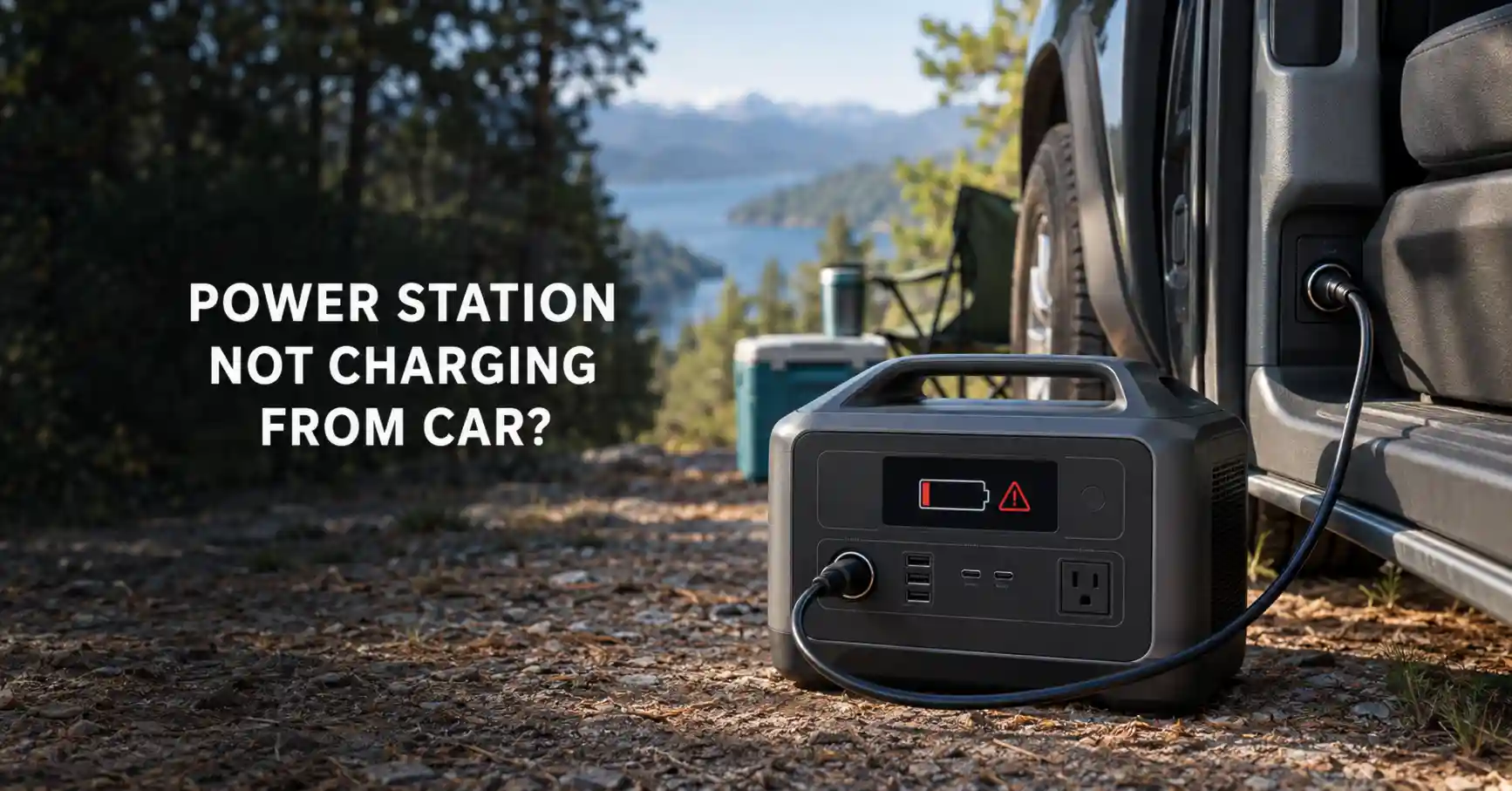
A portable power station that will not charge from your car can be especially frustrating when you are traveling, camping, or trying to recharge during an extended power outage. You plug the car charging cable into the 12-volt outlet, but the power station shows zero input – or it starts charging and then suddenly stops.
The good news is that this does not necessarily mean the power station has failed. A disabled vehicle outlet, blown fuse, loose plug, incorrect cable, low input voltage, temperature protection, or incompatible setting can all interfere with car charging.
If you are also trying to work out how much battery capacity you need, see Eco Grid Explorer’s portable power station sizing guide. For runtime math, the portable power station runtime guide explains the watt-hour calculations in more detail.
I would start with the simplest checks before assuming the power station needs repair. Testing the vehicle outlet, restarting the vehicle, and reseating the cable can often identify the problem within a few minutes.
Quick Answer
If your portable power station is not charging from your car, start the vehicle, confirm that the 12V outlet works with another device, firmly reconnect both ends of the car charging cable, and check the power station’s DC input settings. If the outlet is dead, inspect the vehicle’s accessory-outlet fuse using the owner’s manual. Never replace a blown fuse with one that has a higher amperage rating.
Portable Power Station Car-Charging Checklist
Try these steps in order:
- Park outdoors or in a properly ventilated location.
- Start the vehicle or place it in the manufacturer-approved operating mode.
- Test the 12V outlet with another device.
- Remove any outlet splitter or 12V extension cable.
- Unplug and firmly reconnect both ends of the charging cable.
- Confirm that the cable is connected to the correct power station input.
- Inspect the socket, cable, plug, and connector pins for damage.
- Check the display or app for an input reading or error message.
- Confirm the correct car-input or DC-input setting.
- Turn off connected appliances and try charging again.
- Allow the power station to cool or warm to its permitted charging range.
- Test the power station using its approved AC charger.
- If the car outlet is dead, check its fuse using the vehicle manual.
- Try another manufacturer-approved car charging cable if available.
- Contact the manufacturer if the problem remains unresolved.
Why Isn’t My Portable Power Station Charging From My Car?
The most common causes include:
- The car’s 12V outlet only works when the ignition or engine is on
- A blown fuse has disabled the accessory outlet
- The car charging plug is loose
- The cable is damaged or incompatible
- The cable is connected to the wrong input
- The power station is using an incorrect DC input setting
- An extension cable or splitter is causing voltage drop
- The vehicle voltage is too low or unstable
- The power station is too hot or too cold
- The battery is already full
- Connected appliances are using all the incoming power
- A protection circuit has temporarily stopped charging
- The power station’s DC input port has failed
The exact voltage, current, connector, and temperature requirements vary by model. Always confirm the specifications in the manual for your particular power station.
What Is the Power Station Display Telling You?
The information on the power station’s display can help narrow down the problem.
| What you see | What it may mean | What to check first |
|---|---|---|
| Zero input watts | No power is reaching the station | Vehicle outlet, fuse, cable, connections, and input mode |
| Low but steady input | Charging may be normal but slow | Compare the displayed watts with the model’s car-charging specifications |
| Input repeatedly falls to zero | Unstable voltage, loose plug, heat, or protection shutdown | Connector temperature, vehicle voltage, socket condition, and cable |
| Charging icon but battery percentage does not rise | Loads may be using the incoming power | Turn off the power station’s outputs and disconnect appliances |
| Charging stops near 100% | Normal charging taper or completed charge | Check the state of charge and manual |
| Low-voltage warning | Vehicle voltage may be below the station’s accepted range | Start the vehicle and check the vehicle’s electrical system |
| Temperature warning | The battery is outside its permitted charging range | Move the station to a shaded, ventilated location |
| DC input or overload warning | Incorrect setting, excessive current, or protection event | Disconnect the cable and follow the model-specific manual |
| No display response at all | Station may be off, deeply discharged, or experiencing a fault | Try its approved AC charger and restart procedure |
Error symbols and codes are not standardized across brands. Look up the exact message in the manual rather than assuming that a code has the same meaning on another model.
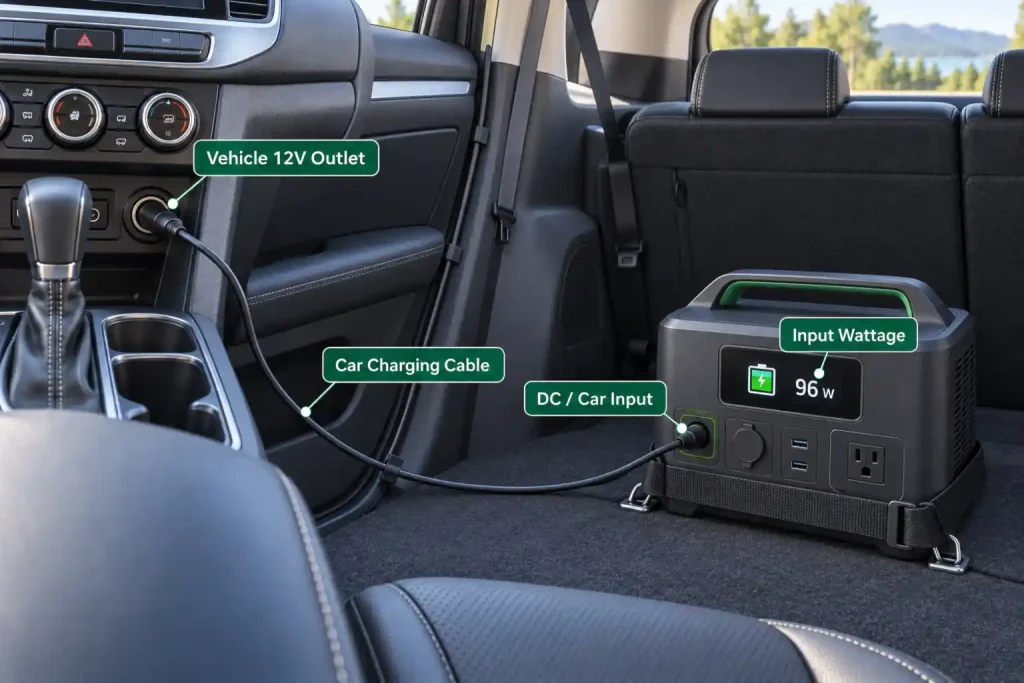
1. Start the Vehicle
Many vehicle accessory outlets do not provide power unless the ignition is in accessory mode or the engine is running. Some outlets remain active when the vehicle is off, while others shut down immediately or after a short delay.
Start the engine and reconnect the charging cable. Watch the power station’s display for 30 to 60 seconds to see whether it detects input.
Manufacturers generally recommend charging a power station from a car while the engine is running. The EcoFlow DELTA 2 manual, for example, instructs users to start the vehicle before car charging to reduce the risk of draining the starter battery. The BLUETTI AC2P manual also states that the vehicle’s engine should be running during charging.
Important: Do not leave a portable power station charging from a vehicle with the engine off unless the vehicle and charging system are specifically designed to prevent starter-battery discharge. A drained starter battery could leave you stranded.
Never run a gasoline or diesel vehicle inside a garage, tent, carport, or other enclosed area to charge a power station. Carbon monoxide can accumulate quickly and can be deadly.
🎥 Watch: How to Charge a Portable Power Station From a Car
This video demonstrates how a portable power station can be charged through a vehicle’s 12V outlet. It uses an EcoFlow DELTA 2, but the basic setup is similar for many power stations. Always use the cable approved for your exact model and follow both the vehicle and power station manufacturer’s instructions.
2. Test the Car’s 12V Outlet
Before troubleshooting the power station, make sure the vehicle outlet is supplying power.
With the vehicle running, plug in a simple 12V device that you already know works, such as a phone charger. If that device does not receive power either, the problem is probably with the vehicle outlet rather than the power station.
Some vehicles have multiple 12V outlets, and they may not operate the same way. One may remain active continuously, while another may work only when the ignition is on. Try another factory-installed outlet if your vehicle has one.
Do not test an outlet with an appliance that might exceed the circuit’s rating.
3. Check for a Blown Vehicle Fuse
A 12V accessory outlet normally has a fuse. The fuse may blow if the circuit is overloaded, the plug develops a short, or a metal object enters the socket.
Look in the vehicle owner’s manual for labels such as:
- Power outlet
- Accessory socket
- Cigarette lighter
- CIG
- P/OUTLET
- AUX power
The fuse may be in the passenger-compartment fuse panel, under the hood, or in another location specified by the vehicle manufacturer.
If the fuse is blown, replace it only with the exact type and amperage listed by the manufacturer.
Safety Warning
Never install a higher-amperage fuse to keep it from blowing. The fuse protects the vehicle wiring from overheating. If the correct replacement fuse blows again, stop using the outlet and have the circuit inspected.
A repeatedly blown fuse could indicate a damaged socket, defective charging cable, short circuit, overloaded accessory circuit, or vehicle wiring problem.
4. Understand Fuse Ratings and Charging Loads
The large wattage number printed on a portable power station – such as 1,000W or 2,000W – normally describes its AC output capability. It does not mean the station will attempt to draw that much power through a vehicle’s 12V socket.
The power station’s car-charging circuit controls how much power it draws. However, the combined load on the vehicle circuit can still become too high if:
- Several vehicle outlets share one fuse
- Other devices are connected to the same circuit
- A multi-outlet splitter is being used
- The charging cable or adapter is incorrect
- The socket or plug has developed a short
- The power station’s selected DC input current exceeds what the setup supports
Check the vehicle manual for the outlet’s maximum permitted load and the power station manual for its car-charging requirements.
5. Reseat Both Ends of the Charging Cable
Car charging plugs can feel connected even when they are not fully seated. Road vibration can also loosen a plug while driving.
Disconnect both ends of the cable and inspect them before reconnecting:
- Push the 12V plug firmly into the vehicle socket
- Confirm that the power station connector is fully inserted
- Secure any locking collar or twist-lock connector
- Look for bent, recessed, dirty, or discolored pins
- Make sure the cable is not pulling sideways on either port
- Check for dirt or foreign objects in the vehicle socket
A loose connection creates electrical resistance and may result in low input wattage, intermittent charging, or excessive heat. EcoFlow advises users to make sure the connection at the vehicle’s auxiliary outlet is secure to help avoid resistance heating.
After the power station has been charging for several minutes, carefully check the plug for unusual heat without touching exposed electrical contacts. Disconnect it immediately if the plug becomes very hot, smells like melting plastic, or shows discoloration.
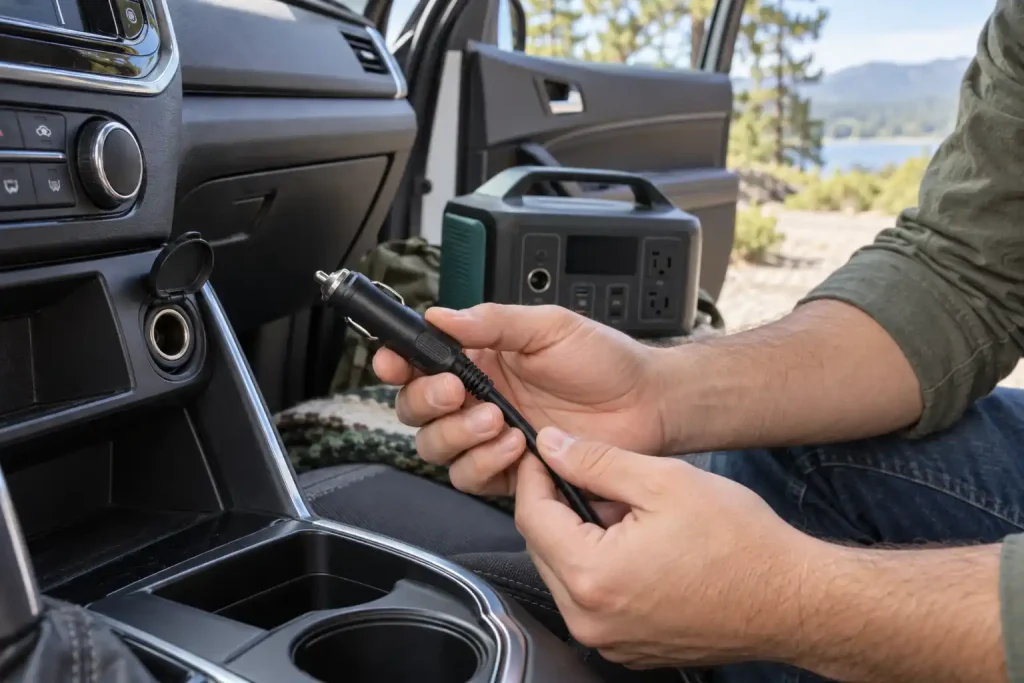
6. Remove Extension Cables and Splitters
A 12V extension cable or multi-outlet splitter may appear convenient, but it introduces more connectors and wiring into the circuit.
A poorly made, damaged, excessively long, or undersized extension can cause:
- Voltage drop
- Low input wattage
- Charging that starts and stops
- Loose connections
- Blown fuses
- Overheated plugs or sockets
For troubleshooting, connect the manufacturer-approved car cable directly to the vehicle’s factory outlet. If charging works without the extension or splitter, the added accessory is likely contributing to the problem.
Do not assume a splitter can safely supply its full labeled wattage through every outlet at the same time. The vehicle’s original outlet and fuse remain the limiting factors.
7. Make Sure You Are Using the Correct Cable
Not every cable that physically fits a power station is electrically compatible with it.
Power stations may use XT60, XT60i, DC barrel, aviation-style, Anderson-style, or proprietary connectors. Even visually similar connectors can have different wiring, polarity, current limits, or identification pins.
Use the cable supplied with the power station whenever possible. If you need a replacement, verify that it is approved for your exact model.
Before You Buy a Replacement Car Charging Cable
Confirm the exact power station brand and model compatibility, connector type, connector polarity, supported input voltage, maximum current rating, appropriate wire gauge, correct fuse type and rating if the plug is fused, whether a communication or identification pin is required, and whether the cable is intended for vehicle charging rather than solar input.
Do not buy a cable based only on the shape of its connector.
An incorrect cable could fail to charge, overheat, blow a fuse, or damage the power station. Never reverse polarity or modify a charging cable unless the manufacturer specifically provides instructions for doing so.
8. Check the Input Port and Charging Settings
Many power stations use one physical input port for both solar and vehicle charging. Some identify the source automatically, while others provide adjustable settings through the display or mobile app.
Look for settings labeled car input, DC input, solar input, input source, 12V or 24V input, DC charging current, or charging mode.
If the station lets you adjust its car-charging current, use the manufacturer’s recommended setting. Increasing the current is not always safe or appropriate. The outlet, fuse, wiring, connector, and charging cable all have limits.
For example, the EcoFlow RIVER 2 Pro manual lists support for 12V or 24V car charging with a maximum charging current of 8 amps. Your model may have different limits.
Some power stations also have resettable input protection. Follow the model-specific instructions instead of repeatedly resetting a protection device without identifying why it tripped.
9. Brand-Specific Places to Check
| Brand | Where to look |
|---|---|
| EcoFlow | Check the screen and EcoFlow app for DC input, car-input current, battery temperature, and warning indicators |
| BLUETTI | Check the display and BLUETTI app for input power, charging mode, temperature protection, and warning codes |
| Jackery | Check the input display, manual’s car-charging instructions, connector type, and approved cable list |
| Anker SOLIX | Check the display or Anker app for input wattage, temperature warnings, charging status, and available device settings |
| Other brands | Use the model number to locate the official manual and support page |
Not every power station offers an adjustable DC input mode. Do not change settings that are not described in the manual for your exact model.
10. Check the Input Wattage
If the display shows some incoming power, the station is technically receiving energy even if charging appears slow.
Standard car charging is normally much slower than household AC charging. Many 12V accessory-outlet charging systems deliver roughly 80 to 120 watts, although the exact amount depends on the vehicle and power station.
For example, the BLUETTI AC2P manual lists a maximum car-charging rate of 96W. Larger power stations may therefore require many hours to recharge through a standard vehicle outlet.
A display showing 70W, 90W, or 100W does not necessarily indicate a problem. The input may also fluctuate as the vehicle voltage changes or the power station approaches a full charge.
How Long Should Car Charging Take?
Use the power station’s observed input wattage rather than its advertised maximum AC output.
For a rough estimate:
Energy needed in watt-hours ÷ observed input watts × 1.15 = estimated charging time
The extra 15% allows for approximate conversion losses and charging taper. Actual losses vary, so this is only an estimate.
Example
Suppose you have a 1,000Wh power station at 20% charge. You need to replace approximately 80% of its capacity:
1,000Wh × 0.80 = 800Wh needed
If the car is supplying 96W:
800Wh ÷ 96W = 8.3 hours
After allowing approximately 15% extra time:
8.3 × 1.15 = about 9.5 hours
A one-hour drive might therefore increase the battery by less than 10 percentage points. That may feel slow, but it does not necessarily mean the charger is malfunctioning.
11. Check for Low or Unstable Vehicle Voltage
A power station may stop charging when vehicle voltage falls below its accepted input range. This protects the station and can help prevent excessive discharge of the starter battery.
The BLUETTI AC2P, for example, has a low-voltage disconnect that stops car charging if its input drops below 10.5V. Other products use different thresholds.
Possible causes of low or unstable input include the engine being off, a weak starter battery, a vehicle charging-system problem, excessive voltage drop, a poor connection, an undersized extension cable, smart alternator behavior, or heavy electrical loads.
If charging repeatedly starts and stops, temporarily turn off nonessential high-draw accessories. Do not assume the alternator is defective based only on the power station’s behavior.
If the vehicle is difficult to start, displays a battery warning light, or has other electrical problems, have the battery and charging system inspected by a qualified technician.
12. How to Check the 12V Outlet’s Voltage
A plug-in 12V socket voltmeter is the simplest option for most readers. Insert it into the accessory outlet and compare the reading with the vehicle manufacturer’s information.
An experienced person can also use a digital multimeter set to an appropriate DC-voltage range. The red probe normally touches the center positive contact, while the black probe touches the outer negative contact.
However, working inside a small 12V socket with exposed metal probes can cause a short if the probes touch each other or bridge the contacts.
Multimeter Warning
Only perform this test if you already know how to use a multimeter safely. Do not allow the probes to touch each other inside the socket. Never use the meter’s current-measuring mode across the outlet because that can create a direct short. If you are uncertain, use a plug-in socket voltmeter or have the outlet tested professionally.
Because charging-system behavior varies among conventional, hybrid, and electric vehicles, compare the reading with the specifications in the vehicle’s manual rather than relying on one universal voltage number.
13. Special Considerations for Hybrids and Electric Vehicles
A hybrid or electric vehicle still uses a low-voltage electrical system for lights, controls, accessory outlets, and other equipment. The high-voltage traction battery does not mean the 12V outlet can safely provide unlimited power.
The vehicle may need to be in a specific operating state – often called “Ready” mode – for its DC-to-DC converter to maintain the low-voltage system. Simply turning on the dashboard may not be sufficient.
- Check the vehicle manual for accessory-outlet use
- Confirm whether the vehicle should be in Ready mode
- Follow time limits for parked accessory use
- Do not connect directly to the traction battery
- Do not assume an EV’s 12V outlet can supply more power than a conventional vehicle outlet
- Use factory-provided AC or vehicle-to-load outlets only as directed
If the manufacturer provides a dedicated vehicle-to-load or onboard AC power system, that may be a different charging option. Follow its output limits and approved operating procedure.
14. Disconnect Loads From the Power Station
If the power station is running appliances while charging from the car, those appliances may consume all the incoming energy.
For example, if the car provides 90W while connected devices consume 100W, the station’s battery percentage will continue to fall even though its display shows incoming power.
Turn off the AC inverter and disconnect unnecessary loads. Watch the display for several minutes to see whether the battery begins gaining charge.
Some power stations allow simultaneous charging and discharging, but the limits and long-term recommendations vary. Check the manual before regularly using the power station this way.
15. Check the Temperature
A lithium battery management system may limit or stop charging when the battery cells are too hot or too cold.
This can happen if the power station is left in a hot parked vehicle, placed in direct sunlight, stored overnight in freezing temperatures, positioned beside a heater vent, covered by luggage or bedding, or operated without adequate ventilation.
Move the station to a dry, shaded, ventilated location and allow it to return naturally to its permitted charging-temperature range. Do not try to heat a frozen power station rapidly with a heater, heating pad, hair dryer, or open flame.
The exact safe charging range varies by model. Follow the temperature limits in the manufacturer’s manual.
16. Inspect the Cable for Damage
A charging cable can fail internally even when the outside still looks normal.
- Cuts or exposed conductors
- Crushed or flattened sections
- Sharp bends near the connectors
- Loose connector housings
- Burn marks or melted plastic
- Corrosion
- Bent or recessed pins
- A damaged fuse inside the 12V plug
Some car charging plugs contain a replaceable fuse. Consult the cable or power station manual before opening the plug. Replace the fuse only with the exact specified type and rating.
Stop using a cable that becomes unusually hot or shows visible damage. Do not cover a damaged section with tape and continue using it.
17. Restart the Power Station
A temporary protection state or software issue may prevent a power station from recognizing DC input.
- Disconnect the car charging cable.
- Turn off the power station’s AC and DC outputs.
- Shut down the power station.
- Wait several minutes.
- Start the vehicle.
- Turn the power station back on.
- Reconnect the cable.
If the station uses a mobile app, check for warning messages and manufacturer-issued firmware updates. Do not interrupt a firmware update once it begins.
Some models have a battery-management-system reset procedure, but button combinations vary. Only follow reset instructions published for your exact model.
18. Test the Power Station With Another Charging Source
Charge the station from a household outlet using its approved AC charging equipment.
| Test result | Most likely area to investigate |
|---|---|
| Charges from AC but not from the car | Vehicle outlet, fuse, car cable, DC input setting, or voltage compatibility |
| Does not charge from AC or the car | Power station, battery protection, temperature, or charging-system fault |
| Charges from another vehicle | First vehicle’s outlet, fuse, wiring, or voltage |
| Charges with another approved cable | Original car charging cable |
| Shows input but percentage falls | Connected loads exceed incoming power |
| Starts and stops repeatedly | Loose connection, heat, low voltage, cable fault, or protection circuit |
| Charges after removing a splitter | Splitter, extension cable, or voltage drop |
| Car outlet cannot power another device | Vehicle outlet or fuse |
If the station accepts solar through a shared input port but not car charging, that does not completely rule out the power station. It may use different voltage detection, current limits, or cable identification for each source.
Why Does Car Charging Start and Then Stop?
Intermittent charging is commonly caused by a plug vibrating loose, an overheating connector, a worn vehicle socket, falling or fluctuating vehicle voltage, a damaged cable, temperature protection, an overloaded accessory circuit, a car-input current setting that is too high, a protection circuit activating, or the battery reaching full charge.
Watch the input wattage and warning indicators when the problem occurs. A sudden drop from normal input to zero provides a more useful clue than the battery percentage alone.
If the plug or socket becomes unusually hot, disconnect it and stop troubleshooting until the connection has been inspected.
Why Does the Charging Symbol Appear Without Increasing the Battery Percentage?
This can happen when the car is supplying only a small amount of power, connected devices consume as much energy as the station receives, the display rounds the battery percentage, the battery is balancing cells near full charge, charging has slowed because of temperature, the input is repeatedly dropping, or the battery display needs time to update.
Turn off all outputs and note the displayed input wattage. Leave the station charging long enough for the expected energy input to become measurable. If it still shows no increase, restart the station and test it with AC charging.
Can You Charge a Power Station From a Car While Driving?
Yes, a compatible portable power station can generally be charged from a vehicle while driving when you use the correct cable and follow the instructions for both products.
Secure the power station so it cannot slide, tip over, block the pedals, or interfere with airbags. Keep its ventilation openings clear, and route the cable where it cannot become tangled around the driver’s feet.
Do not leave the unit loose on a seat or cargo floor where sudden braking could turn it into a projectile.
Is an Alternator Charger Better Than a 12V Outlet?
A dedicated alternator charger can recharge a large power station much faster than a standard 12V accessory outlet. This can be helpful for RVs, vans, frequent road trips, and larger battery systems.
However, an alternator charger is not just a higher-powered cigarette-lighter cable. Depending on the system, installation may involve direct battery or alternator connections, correctly sized wiring, fuses or circuit breakers near the power source, proper cable routing, vehicle compatibility checks, input settings matched to the power station, and consideration of smart alternators and vehicle energy management.
Have the system professionally installed if you are not experienced with automotive electrical work. An incorrectly installed high-current charger could damage wiring, discharge the starter battery, or create a fire hazard.
What Not to Do
- Do not replace a blown fuse with a larger one
- Do not bypass an inline fuse or circuit protector
- Do not reverse connector polarity
- Do not use a visibly damaged or overheating cable
- Do not insert metal tools into an energized socket
- Do not use a multimeter in current mode across the outlet
- Do not assume a physically matching connector is compatible
- Do not keep resetting protection without finding the cause
- Do not place the power station in direct sunlight while charging
- Do not cover cooling vents
- Do not run a gasoline or diesel engine in an enclosed area
- Do not connect directly to a starter battery without an approved, properly fused charging system
- Do not connect anything to an EV or hybrid traction battery
- Do not continue using a plug or socket that smells burned or shows melted plastic
Printable Car-Charging Troubleshooting Checklist
Use this checklist as a quick troubleshooting reference:
- Park the vehicle outdoors or in a properly ventilated location.
- Start the engine or use the vehicle manufacturer’s approved operating mode.
- Confirm the power station is within its safe charging-temperature range.
- Test the vehicle’s 12V outlet with another known-working device.
- Try another factory-installed 12V outlet, if available.
- Remove splitters, adapters, and extension cables.
- Inspect the vehicle socket for debris or heat damage.
- Inspect the charging cable for cuts, crushing, bent pins, or melted plastic.
- Firmly reconnect the cable at both ends.
- Confirm the cable is connected to the correct input port.
- Verify that the cable is approved for the exact power station model.
- Check the display for input wattage or an error message.
- Check the app or settings for the correct DC or car-input mode.
- Turn off the power station’s AC and DC outputs.
- Disconnect appliances that may be using the incoming power.
- Restart the power station and reconnect the cable.
- Test the station using its approved household AC charger.
- Check the vehicle’s accessory-outlet fuse using the owner’s manual.
- Replace a fuse only with the exact specified type and amperage.
- Try another manufacturer-approved car charging cable, if available.
- Record the input wattage, error code, and testing results before contacting support.
Stop immediately: Disconnect the cable if you notice smoke, sparks, a burning smell, melted plastic, exposed wiring, battery swelling, or a plug that becomes unusually hot.
When Should You Stop Troubleshooting?
Disconnect the equipment immediately if you notice a burning smell, smoke, sparks, hissing, melted or discolored plastic, a cable or plug that becomes excessively hot, swelling or deformation of the power station, liquid inside a connector, exposed conductors, repeatedly blown fuses, or a persistent battery or electrical warning in the vehicle.
Move away from the power station if it is smoking, hissing, swelling, or showing signs of battery failure. Contact emergency services if there is an immediate fire risk.
For a continuing problem without visible damage, contact the power station manufacturer. Provide the power station model, serial number, vehicle make and model, displayed input wattage, error code or warning symbol, charging cable model, approximate temperature, and a description of the tests already completed.
How to Prevent Car-Charging Problems
- Use the manufacturer-approved car charging cable for the exact power station model.
- Keep the 12V plug and vehicle socket clean, dry, and free of debris.
- Avoid splitters and long extension cables unless both manufacturers permit them.
- Secure the power station and cable so vibration does not pull on the connectors.
- Keep the unit shaded and ventilated during warm-weather travel.
- Do not leave the station drawing from a vehicle outlet with the engine off unless the vehicle manufacturer specifically supports that use.
- If a plug starts fitting loosely or running unusually hot, stop using it before the socket or cable suffers more damage.
- Keep the power station manual and vehicle fuse information available offline when traveling.
📖 Related Eco Grid Explorer Guides
Frequently Asked Questions
Why does my power station show zero watts when connected to the car?
The outlet may be inactive, the outlet fuse may be blown, the cable may not be fully seated, or the power station may not recognize the input. Start the vehicle, test the outlet with another device, remove any splitter, and reconnect both ends of the cable.
Will a power station drain my car battery?
It can if the accessory outlet remains active while the engine is off. Charging while the engine is running reduces this risk, but you should still follow the vehicle and power station manufacturers’ instructions.
Why is my power station charging so slowly from the car?
A standard vehicle outlet provides much less power than most household charging systems. Input around 70 to 120 watts may be normal, depending on the vehicle, power station, and cable.
Why did charging stop when I turned the engine off?
The vehicle may have shut down the accessory outlet, or the power station may have detected voltage below its car-charging threshold. This is normally a protective response.
Can I use any cigarette-lighter charging cable?
No. Use the included cable or a replacement specifically approved for the exact power station model. Connector shape alone does not confirm correct polarity, voltage, wiring, or current capacity.
Can I use a 12V extension cable?
Only if the vehicle and power station manufacturers permit it and the cable is properly rated. For troubleshooting, connect the charging cable directly to the factory outlet because extensions can introduce voltage drop and heat.
Can I use a car inverter to run the power station’s AC charger?
Only if the inverter, vehicle outlet, wiring, and power station charger all support the required continuous load. Many factory-installed vehicle AC outlets cannot provide enough power for a portable power station’s regular AC charger.
Why does the car-charging plug keep getting hot?
A loose connection, worn socket, corrosion, damaged plug, excessive current, or unsuitable cable can generate heat. Disconnect the cable if the plug becomes very hot, smells unusual, or shows discoloration.
Can I charge from a hybrid or electric vehicle?
Possibly, but you must follow the vehicle manual. The vehicle may need to be in Ready mode to maintain its low-voltage electrical system. Never connect charging equipment directly to an EV or hybrid traction battery.
Does a low input-watt reading mean the charger is broken?
Not necessarily. Standard car charging is slow, and the station may reduce its input because of vehicle voltage, temperature, battery state of charge, or its own charging limits.
My Take
I would pay especially close attention to temperature during summer travel. A parked vehicle can become dangerously hot, and a power station sitting in direct sunlight may stop accepting a charge even though it is not broken. I would move it to a shaded, ventilated location and let it cool naturally before testing it again.