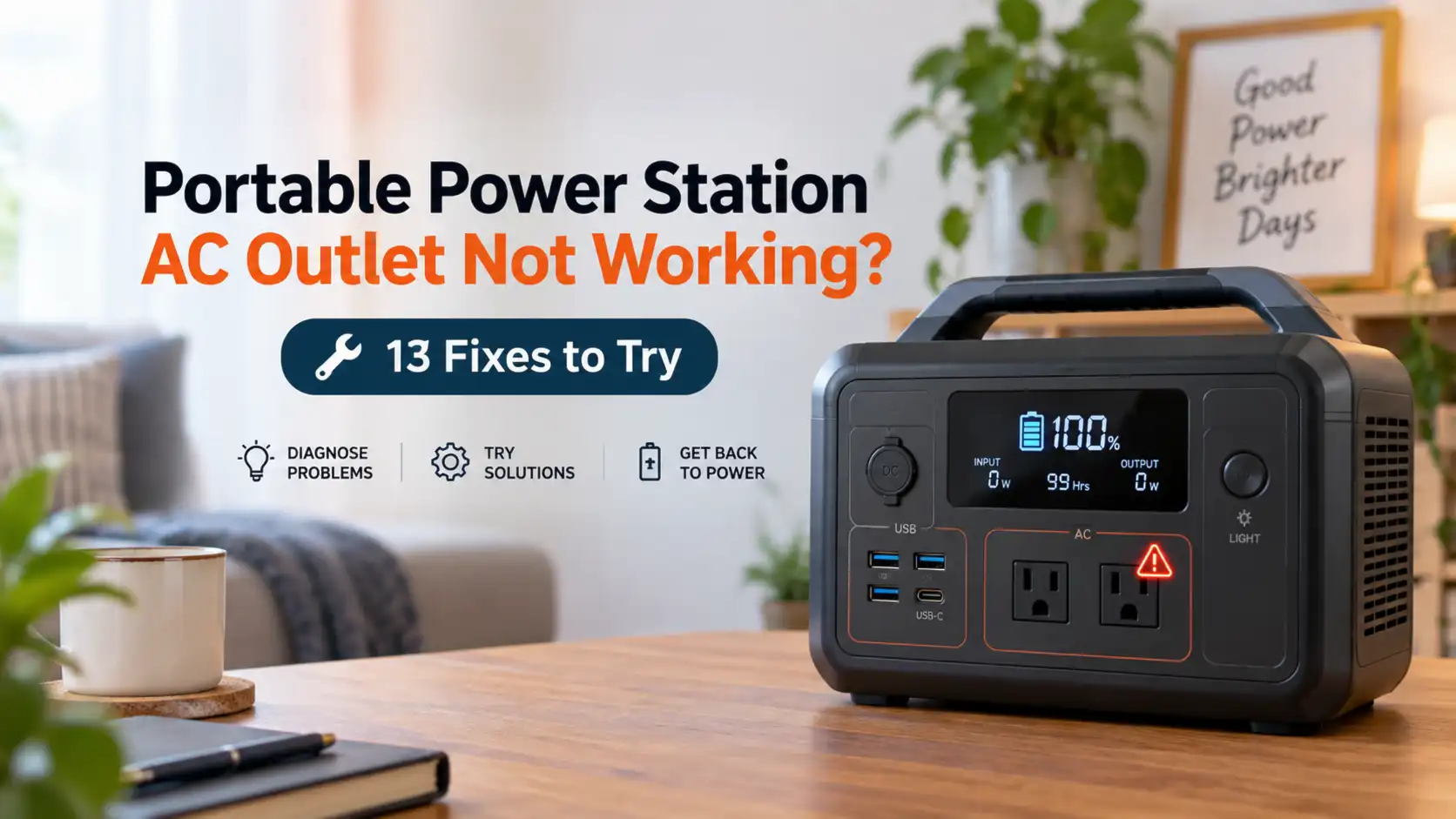
Portable Power Station AC Outlet Not Working? 13 Fixes to Try
A portable power station AC outlet that suddenly stops working does not always mean the power station is broken. In many cases, the AC inverter has simply been switched off, the connected appliance triggered overload protection, a startup surge exceeded the inverter’s limit, or a model-specific battery, temperature, timeout, or ECO setting stopped AC output.
If this happened to me during an outage, I would start with the simplest checks before assuming the inverter or outlet had failed. Unplug the appliance, confirm AC output is actually turned on, look for an error or overload symbol, and then test the outlet with one small known-good device.
Below is the troubleshooting order I recommend.
Quick Answer: Why Is My Portable Power Station AC Outlet Not Working?
Common reasons a portable power station has power but no AC output include:
- The AC output has not been turned on.
- The appliance exceeded the power station’s continuous output rating.
- A motor or compressor created too much startup surge.
- The station reached a configured discharge or backup-reserve limit.
- High- or low-temperature protection was triggered.
- An AC timeout or ECO setting turned off the inverter.
- An extension cord, power strip, or connected appliance has a problem.
- The station detected an AC-output, short-circuit, communication, or inverter fault.
- On models with selectable AC frequency, the frequency setting may not match the appliance or local electrical standard.
If you are unsure whether your appliance is within the station’s limits, my guide to what a portable power station can run explains running watts, startup watts, 120V appliances, and inverter limits.
30-Second Portable Power Station AC Check
If you want the fastest troubleshooting path, I would do these six things first:
- Unplug everything from the AC outlets.
- Confirm the AC output is turned on – not just the main power station.
- Check the screen or app for overload, temperature, low-battery, or fault warnings.
- Check the battery percentage and any configured discharge or backup-reserve setting.
- Turn AC output off and back on using the normal procedure in the manual.
- Test one small known-good device, such as a lamp or compatible charger.
If the small device works, the power station’s AC system is probably functioning and I would investigate the original appliance’s wattage, startup surge, cord, or compatibility.
If no known-good device works, continue through the checks below.
Safety First
Stop troubleshooting and disconnect the load if you notice smoke, sparking, swelling, melted plastic, a burning smell, visible damage, or a plug or outlet becoming abnormally hot.
Do not open the power station, bypass protection circuits, defeat grounding, insert objects into an outlet, or attempt internal inverter or battery repairs. Portable power stations contain high-current batteries and AC circuitry that can present serious electrical and fire hazards.
I would also stop repeatedly resetting a unit that immediately reports the same fault with nothing connected. At that point, the manufacturer should diagnose the problem.
Does the AC Outlet Fail With Every Device or Just One?
If Every AC Device Fails
Focus on the power station itself:
- AC output setting
- Battery or discharge limit
- Temperature protection
- AC timeout or ECO mode
- Error codes
- Inverter or outlet fault
If Only One Appliance Fails
Focus on the appliance and load:
- Running wattage
- Startup surge
- Damaged plug or cord
- Extension cord or power strip
- Voltage or frequency compatibility
- An electrical fault in the appliance
I would not repeatedly reconnect an appliance that causes an immediate overload, short-circuit warning, or shutdown.
Portable Power Station Has Power but No AC Output
A station can have a working screen, a charged battery, and functional USB ports while its AC outlets remain off.
That is because household-style AC power normally depends on the station’s inverter. USB and other DC outputs use different circuitry.
If the station clearly has battery power but no AC output, start by checking whether the AC inverter has been enabled and whether the display shows an AC, overload, temperature, or fault indicator.
1. Make Sure the AC Output Is Actually Turned On
This sounds simple, but it should be the first check.
Many portable power stations have separate controls for the main unit, USB/DC outputs, and the AC inverter. Turning on the power station does not necessarily turn on the AC receptacles.
For example, current EcoFlow manuals instruct users to press a separate AC-output control to enable AC sockets on applicable models.
Look for:
- An AC button
- An AC outlet icon on the screen
- An AC-output setting in the manufacturer’s app
If the screen is on but the AC indicator is off, enable AC output according to the instructions for your model.
2. Unplug Everything and Reset the AC Output
If AC stopped working after an appliance was connected, unplug every device from the power station’s AC outlets.
Then:
- Turn AC output off.
- Follow any model-specific reset or recovery instructions in the manual.
- Turn AC output back on.
- Check whether the overload or fault warning clears.
- Test one small known-good appliance.
Official troubleshooting instructions vary. For example, Jackery’s guidance for an F6 AC-output error tells users to disconnect an appliance that exceeds the power station’s rated capacity and reset the station. If the fault persists with an appropriate load, Jackery says an internal hardware problem may be involved.
3. Check for an Overload Warning
An overload is one of the most common reasons AC output stops when an appliance is connected.
Every portable power station has a rated continuous AC output. A station rated for 500 watts of continuous output should not be expected to continuously power a 1,500-watt heater.
Check the screen or app for messages or icons such as:
- Overload
- AC overload
- AC discharge overload
- Output overload
- Inverter fault
- Error code
Then compare the connected appliance’s requirements with the power station’s specifications.
Do not confuse battery capacity with inverter output. A power station could have a 1,000Wh battery and still have an inverter that cannot support a particular high-wattage appliance.
My portable power station size guide explains the difference between watts and watt-hours.
4. Check the Appliance’s Startup Surge
An appliance can be below the station’s continuous output rating and still cause AC output to shut down.
The reason is startup surge.
Motors and compressors can briefly require substantially more power when they start than during normal operation. Jackery specifically warns that appliances such as air conditioners, refrigerators, water pumps, pressure washers, and compressors can create high startup demand that triggers protection even when normal running power appears to be within the station’s rating.
Common surge loads include:
- Refrigerators
- Freezers
- Air conditioners
- Sump or water pumps
- Air compressors
- Some power tools
If a lamp works normally but the power station shuts down when a refrigerator compressor starts, I would investigate startup surge before assuming the outlet is defective.
For refrigerator backup specifically, see my guide to choosing a power station for a refrigerator.
5. Check the Battery Level and Discharge Settings
Some portable power stations let the user set a minimum discharge level or backup reserve.
On models that support this feature, AC output or other discharging can stop when the battery reaches the configured limit even though the display still shows remaining battery capacity.
For example, current EcoFlow documentation for applicable models describes configurable discharging limits and backup-reserve behavior.
Check:
- Battery state of charge
- Minimum discharge level
- Backup reserve
- Energy-management settings
If the battery is nearly depleted, recharge the station before continuing troubleshooting.
Do not assume every power station handles low battery the same way. Follow the instructions for your exact model.
6. Check for High- or Low-Temperature Protection
Temperature protection is a real operating condition on modern portable power stations.
EcoFlow manuals, for example, document high- and low-temperature warnings that can interrupt charging or discharging. Their guidance for a high-temperature condition includes stopping use, moving the station away from heat sources, and allowing adequate ventilation until the temperature returns to an acceptable range.
If your station shows a temperature warning:
- Disconnect the load.
- Move the station away from direct sunlight or another heat source.
- Keep cooling vents clear.
- Allow the station to return to the manufacturer’s approved operating range.
- Follow the exact manual before restarting the load.
Do not cover vents to reduce fan noise. Restricted airflow can interfere with cooling.
7. Check AC Timeout, ECO Mode, and Low-Load Shutdown
This can explain an AC outlet that works normally and then appears to shut itself off.
Some portable power stations automatically disable AC output after a period with little or no load. The purpose is to reduce inverter standby consumption.
EcoFlow documents an AC timeout feature on current models that can switch the AC output off after it remains idle. EcoFlow specifically notes that intermittent appliances such as refrigerators and air conditioners can sometimes trigger this behavior.
BLUETTI also documents ECO modes on certain power stations. On the AC2P, for example, BLUETTI says AC-ECO can automatically turn AC output off when power remains below a configured threshold for a set period. BLUETTI specifically recommends disabling ECO mode when charging some very small devices below 15 watts to avoid interruption.
If AC output works when you manually turn it back on but later switches itself off, check the model’s settings for:
- AC timeout
- ECO mode
- Low-load shutdown
- Auto shutdown
- Standby settings
Do not copy settings from another brand or model. Thresholds and timer behavior vary.
8. Test With a Small Known-Good Appliance
I like this test because it quickly separates an inverter problem from a load problem.
After disconnecting the original appliance, connect one low-power device that you know works, such as an appropriate lamp or charger.
If the small device works normally, the AC system is probably functioning and the original appliance may have:
- Too much running load
- Too much startup surge
- A damaged cord or plug
- An electrical fault
- A compatibility issue
If the small known-good load also fails, keep troubleshooting the power station itself.
9. What If One AC Outlet Doesn’t Work but the Others Do?
If your power station has multiple AC receptacles, test another AC outlet with the same small known-good device.
If several AC outlets work normally but one receptacle consistently does not, the problem is less likely to be a simple whole-inverter shutdown.
Inspect the non-working outlet without opening the power station. Stop using it if you notice:
- Loose contacts
- Cracks
- Discoloration
- Melting
- Sparking
- Abnormal heat
- Intermittent power when the plug moves
I would not try to repair or replace the receptacle myself. Contact the manufacturer or an authorized service provider.
10. Test the Appliance From Another Appropriate Power Source
The power station may not be the problem.
If it is safe and appropriate for the appliance, test it from a normal compatible household outlet. A damaged appliance, defective plug, or internal electrical fault can cause a power station’s protection system to activate.
Do not continue testing an appliance with visible damage, a burning smell, sparking, or an immediate short-circuit indication.
11. Remove the Extension Cord or Power Strip
If you are using an extension cord, adapter, or power strip, remove it temporarily and connect your small test device directly to the power station.
A damaged cord, loose connection, overloaded strip, or undersized extension cord can create its own electrical problems.
The U.S. Consumer Product Safety Commission advises consumers not to overload extension cords or power strips and to replace cracked, worn, or damaged cords. CPSC also says extension cords should be appropriately rated for the connected appliance.
Do not defeat a grounding connection or remove a grounding prong to make a plug fit.
12. Check the AC Frequency Setting – If Your Model Allows It
This is a less-common issue, but it is worth checking on power stations that allow the AC output frequency to be changed.
Some current EcoFlow and BLUETTI models provide selectable 50Hz or 60Hz AC output. That does not mean you should experiment with the setting.
The frequency should match the requirements of the appliance and the electrical standard for the equipment you are using.
If the frequency was accidentally changed in the app or settings menu:
- Check the power station manual.
- Check the appliance nameplate or manual.
- Use the appropriate output setting specified for your equipment and region.
Do not blindly switch between 50Hz and 60Hz as a troubleshooting shortcut. Equipment designed around motors, clocks, transformers, or other frequency-dependent components may not operate correctly with the wrong supply frequency.
13. Check the Error Code in the Exact Manual for Your Model
Error codes are not universal.
An F6, E001, or numbered fault on one brand may mean something completely different on another.
I would not rely on a generic internet list of portable power station error codes. Use the manual, app, or official support documentation for the exact model.
Depending on the product, documented warnings can include:
- AC overload
- High temperature
- Low temperature
- Fan blockage
- Battery fault
- Internal communication fault
- Output-port malfunction
Symptoms and Likely Causes
| What You See | Possible Cause | First Check |
|---|---|---|
| Station is on, but all AC outlets are dead | AC inverter is off, protection is active, or an AC fault exists | Check AC indicator and error messages |
| AC shuts off when an appliance is plugged in | Overload, surge, or appliance fault | Disconnect the appliance and compare its requirements with the station rating |
| AC shuts off when a refrigerator or pump starts | Startup surge | Check appliance startup requirements and inverter capability |
| AC works and later switches itself off | AC timeout, ECO mode, discharge limit, or temperature protection | Check settings, battery level, and warning icons |
| Very small AC device stops receiving power | Low-load ECO or timeout behavior on supported models | Check the model’s ECO/timeout settings |
| USB works but AC does not | AC inverter disabled or AC-specific protection/fault | Check AC indicator, settings, and error code |
| One AC outlet fails but another works | Possible outlet-specific fault | Stop using a damaged or intermittent receptacle and contact support |
| AC fails only with one appliance | Load, surge, cord, fault, or compatibility issue | Test a smaller known-good device |
| AC fault remains with nothing connected | Possible station fault | Follow the official recovery procedure and contact support if it persists |
What If USB Works but the AC Outlet Does Not?
This is an important clue.
The AC outlets depend on the inverter, while USB and other DC outputs use different power-conversion circuitry. That means USB can continue operating while AC output is disabled or in protection mode.
If USB-C works but every AC outlet remains dead, I would focus on:
- Whether AC output is enabled
- AC overload warnings
- Temperature warnings
- AC timeout or ECO settings
- Discharge limits
- AC-specific fault codes
What If the Power Station Says Overload With Nothing Plugged In?
An overload or AC fault that remains after every device has been removed deserves more caution.
Follow the manufacturer’s official reset or recovery procedure for your exact model. If the warning immediately returns with the AC outlets completely unloaded, I would stop there rather than repeatedly resetting the unit.
Jackery, for example, states that an F6 AC-output error that persists after an appropriate connected load has been removed and the unit reset may indicate an internal hardware fault requiring support.
Should I Reset My Portable Power Station?
A reset can be appropriate when the manufacturer recommends it, but there is no universal reset procedure.
Some models use a long button press. Others use a combination of controls or app-based troubleshooting. Procedures can also change between product generations.
Use the instructions for the exact model rather than randomly holding buttons or copying a reset sequence from another station.
Could the Appliance Be Too Powerful?
Yes. Compare both the appliance’s running requirement and any startup requirement with the station’s specifications.
As a simple example, a 1,500-watt appliance should not be treated as a normal continuous load for a station rated for only 1,000 watts of continuous AC output.
Battery capacity does not change that inverter limitation. A larger battery provides more stored energy, but it does not automatically increase the inverter’s continuous output.
If you are trying to estimate how long a compatible appliance will run after solving the AC problem, use my portable power station runtime guide.
What Not to Do
- Do not open the battery enclosure or inverter section.
- Do not bypass fuses, protection circuits, grounding, or safety interlocks.
- Do not remove a grounding prong.
- Do not insert tools or metal objects into a receptacle.
- Do not repeatedly reconnect an appliance that triggers a short-circuit or overload warning.
- Do not use cracked, melted, or damaged cords.
- Do not block cooling vents.
- Do not exceed the manufacturer’s rated output.
- Do not assume a surge-power claim means the station can start every motor or compressor.
- Do not randomly change AC frequency settings.
- Do not continue using a station that smokes, sparks, swells, smells burned, or becomes abnormally hot.
When to Contact the Manufacturer
I would move from basic troubleshooting to manufacturer support when:
- All AC outlets remain dead with no load connected.
- The same AC or inverter fault returns after the manufacturer’s approved recovery procedure.
- The station reports an AC fault with nothing plugged in.
- One receptacle has failed while others continue working.
- An outlet is loose, cracked, discolored, melted, or unusually hot.
- The station has been dropped, physically damaged, or exposed to water beyond its rated protection.
- There is a burning smell, smoke, sparking, swelling, or abnormal heat.
- USB/DC outputs work normally but AC consistently fails with known-good, low-power devices.
What to Have Ready Before Contacting Support
A little preparation can make a support conversation much easier.
I would have these details ready:
- Exact power station model
- Serial number, if requested
- Current battery percentage
- Exact error code or warning icon
- A photo of the display if useful
- What appliance was connected when the problem started
- The appliance’s rated wattage
- Whether the problem happens with every AC device or only one
- Whether another AC outlet on the station works
- Whether USB and DC outputs still work
- Whether the station was charging when the fault occurred
- Any recent firmware update or setting change
- Whether the station was unusually hot or cold
I would also avoid clearing or changing a useful error message until I had written down the code.
How to Reduce AC Outlet Problems in the Future
- Know the station’s continuous AC output and documented surge capability.
- Check appliance running and startup requirements before connecting large loads.
- Leave reasonable inverter headroom instead of deliberately operating at the maximum rating all the time.
- Keep cooling vents clear.
- Operate and store the station within its specified environmental limits.
- Use appropriately rated cords and replace damaged ones.
- Learn how to enable AC output before an outage.
- Review ECO, timeout, and discharge-limit settings before relying on intermittent or low-power equipment.
- Check important settings after firmware changes.
- Test important backup loads before an emergency.
That last one matters to me. I would much rather discover during a normal afternoon that a refrigerator’s compressor trips a particular station than discover it after the grid has already gone down.
Frequently Asked Questions
Why does my portable power station turn on but the outlets don’t work?
The main unit can be powered on while its AC output remains disabled. Check the AC-output control first. If AC is enabled, look for overload, temperature, discharge-limit, ECO/timeout, or fault warnings.
Why does the AC outlet shut off as soon as I plug something in?
The appliance may exceed the station’s continuous output, create a startup surge beyond the inverter’s capability, or have an electrical problem. Disconnect it and test the station with one smaller known-good device.
Why does my power station AC outlet keep turning off?
On applicable models, an AC timeout, ECO mode, low-load shutdown, discharge limit, temperature condition, or overload can switch the AC output off. Check the screen, app, and exact model manual.
Can low battery cause AC output to stop?
Yes, depending on the model. Some stations stop discharging when the battery becomes depleted, while others also support configurable minimum-discharge or backup-reserve settings. Check the settings for your specific unit.
Why does my refrigerator make the power station shut off?
Refrigerator compressors can draw substantially more power when starting than during normal running. If that startup demand exceeds the inverter’s capability, overload protection may shut down AC output.
Why does USB work when the AC outlet doesn’t?
USB/DC outputs and AC inverter output use different conversion circuitry. The AC inverter can therefore be disabled or in protection mode while USB remains available.
Can ECO mode make an AC outlet look broken?
Yes, on models that support low-load ECO shutdown. Some power stations automatically disable AC output when the load remains below a threshold for a specified period. Check the exact model’s manual before changing the setting.
Should I change my power station from 60Hz to 50Hz if an appliance will not work?
Not as a general troubleshooting step. Only use the AC frequency required by your appliance and supported by your power station. Check both manuals before changing a selectable frequency setting.
Is a dead AC outlet proof that the inverter is broken?
No. An AC-output setting, overload, startup surge, ECO/timeout behavior, temperature protection, discharge limit, cord problem, or appliance issue can create similar symptoms. A hardware fault becomes more likely when the AC system remains unusable with no load attached after the manufacturer’s approved troubleshooting steps.
My Take
When a portable power station AC outlet stops working, I would resist the urge to immediately conclude that the inverter is dead. Modern stations have several layers of protection and power-management settings that can intentionally switch AC output off.
My troubleshooting order is straightforward: unplug the load, confirm AC is enabled, read the display, check battery and temperature conditions, review ECO or timeout settings if applicable, and then test one small known-good appliance.
If that small load works, I would turn my attention to the original appliance’s running watts, startup surge, cord, and compatibility.
If AC continues to report a fault while nothing is connected, or if an outlet shows physical damage, abnormal heat, smoke, sparking, or a burning smell, that is where I stop experimenting and involve the manufacturer.
Sources
- EcoFlow RIVER 3 Series Portable Power Station User Manual
- EcoFlow RIVER 3 Plus Portable Power Station User Manual
- EcoFlow DELTA 3 Max Plus Portable Power Station User Manual
- BLUETTI AC2P Portable Power Station User Manual
- Jackery Support – F6 AC Output Troubleshooting
- Jackery Support – Startup Surge for Air Conditioners, Refrigerators, and Pumps
- U.S. Consumer Product Safety Commission – Extension Cord Safety